Hello, World!
This chapter discusses your first steps in the world of molli-enabled computing.
Note
All examples of code showin in these sections assumes that molli is imported the following way:
import molli as ml
Overview
molli package provides a user-friendly and easily extensible object-oriented code that features objects that have familiar to chemists meaning and behavior. These classes are summarized below (Module molli.chem class inheritance diagram) for the convenience of user. For detailed documentation, check out the next chapter.
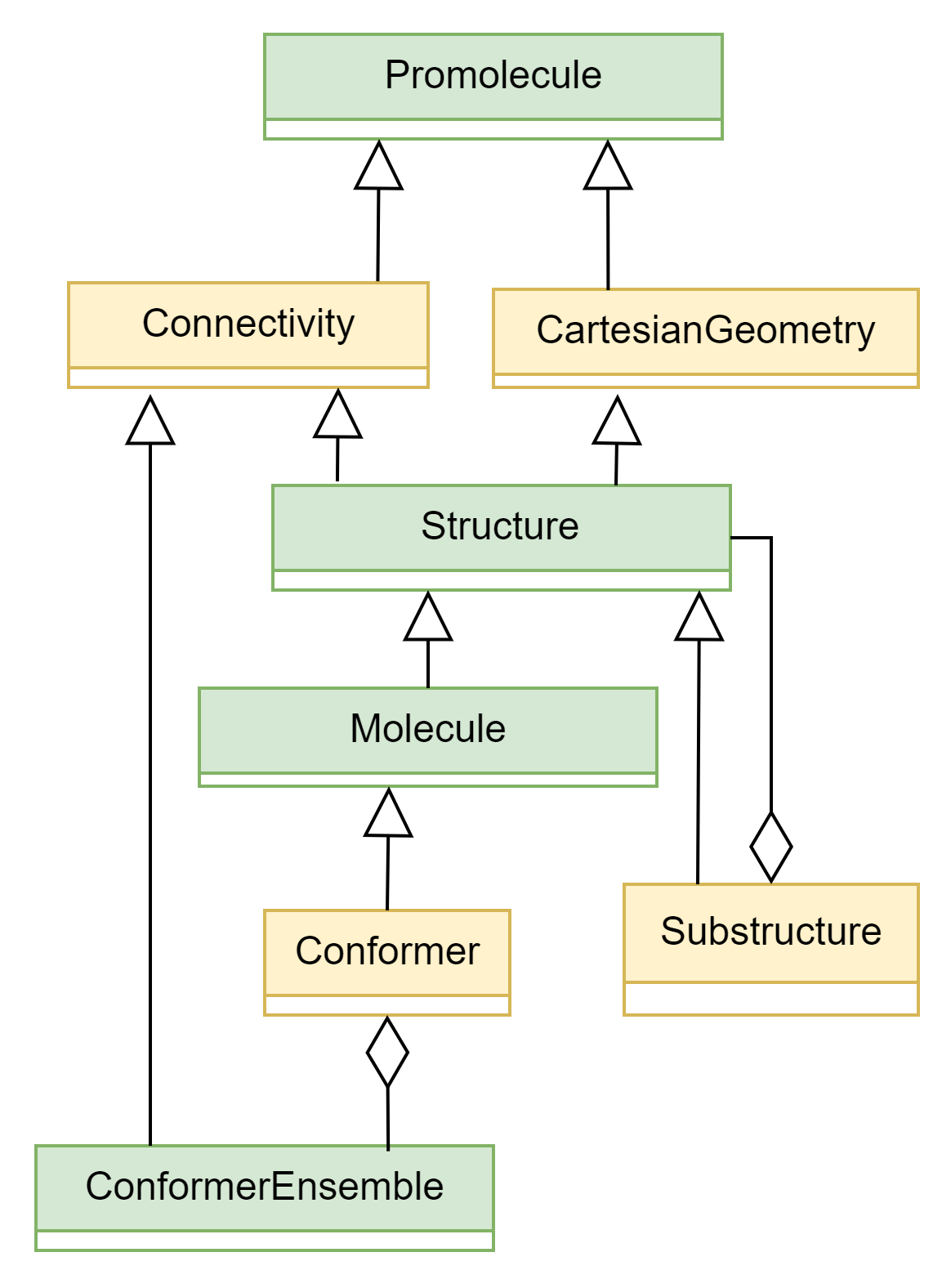
Module molli.chem class inheritance diagram
Input and output
Reading / writing molecule objects from files
molli natively supports only .mol2 and .xyz files for molecule reading. Through the powerful OpenBabel library interface, arbitrary file formats can be read. The following example shows one possible way loading a .mol2 file:
mol = ml.Molecule.load_mol2("./path/to/file.mol2")
Using a syntax that would be familiar to users of json and other libraries, one can also serialize molecules:
with open("./path/to/other.mol2", "wt") as f:
    mol.dump_mol2("f")
Important
Molli implements objects that are more complex than what some of the existing chemical formats, including mol2, can encode. It is therefore recommended to exercise caution. The best way to save molli objects is in the libraries (see below.)
Default files
molli provides some files for testing and prototyping purposes in the molli.files package.
They are installed with the package, and one can access their full path without knowing the exact installation directory:
>>> ml.files.dendrobine_mol2
PosixPath('/home/username/dev/molli/molli/files/dendrobine.mol2')
One can therefore access the test molecule files conveniently:
mol = ml.Molecule.load_mol2(ml.files.dendrobine_mol2)